Plan your day
Arrange tasks on a timeline, check your calendar and move work when your day changes. Keep routines without a fixed time, place one after another, or set a latest finish.
 Trellis
Your timeline, flexible routines and longer-term projects. Start each day knowing the next step.
Download on the App Store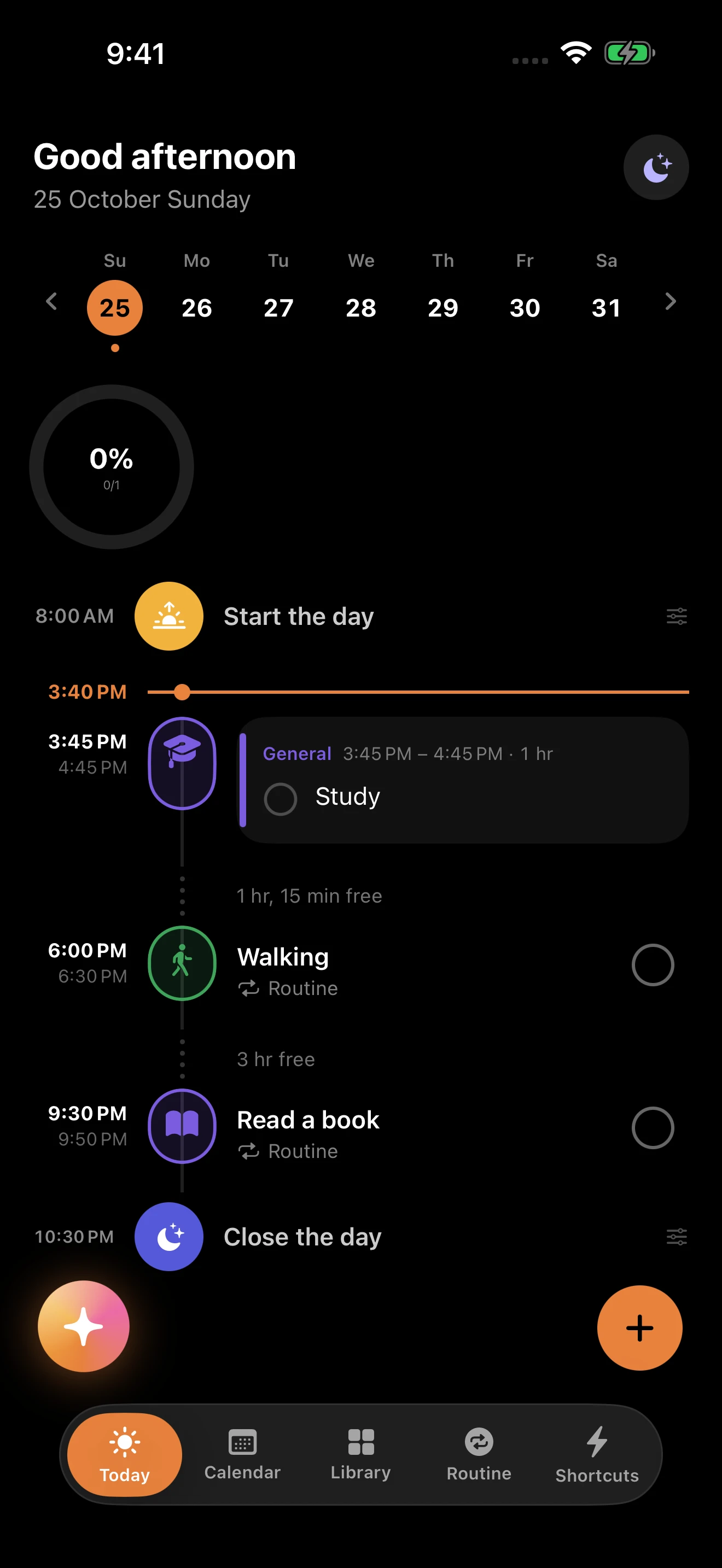
Organize your routines, reach the actions you use often, and make room for a bigger goal.
Arrange tasks on a timeline, check your calendar and move work when your day changes. Keep routines without a fixed time, place one after another, or set a latest finish.
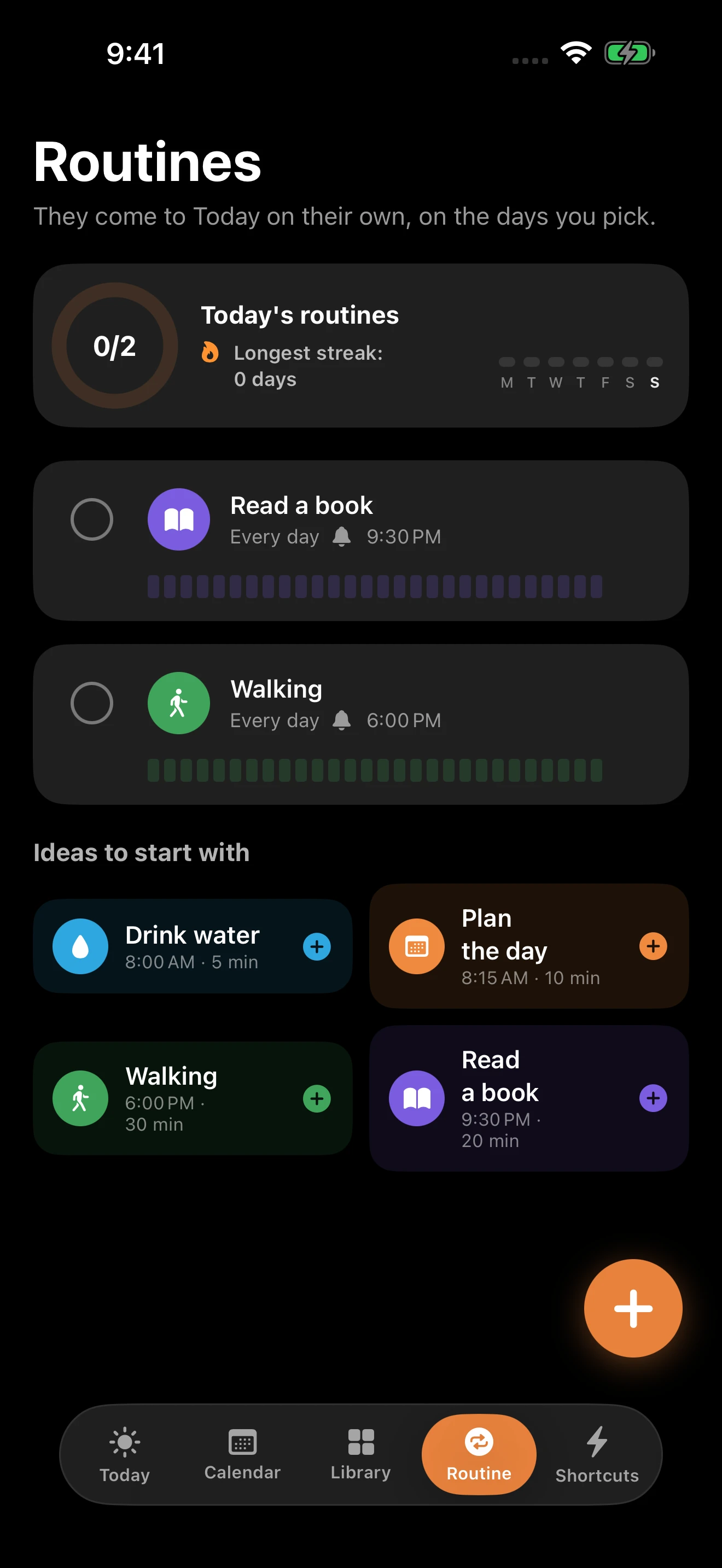
A real routine view in Trellis.
Shortcuts open a quick task, a new routine, focus, breathing, closing the day or a look at your week — small actions within reach.
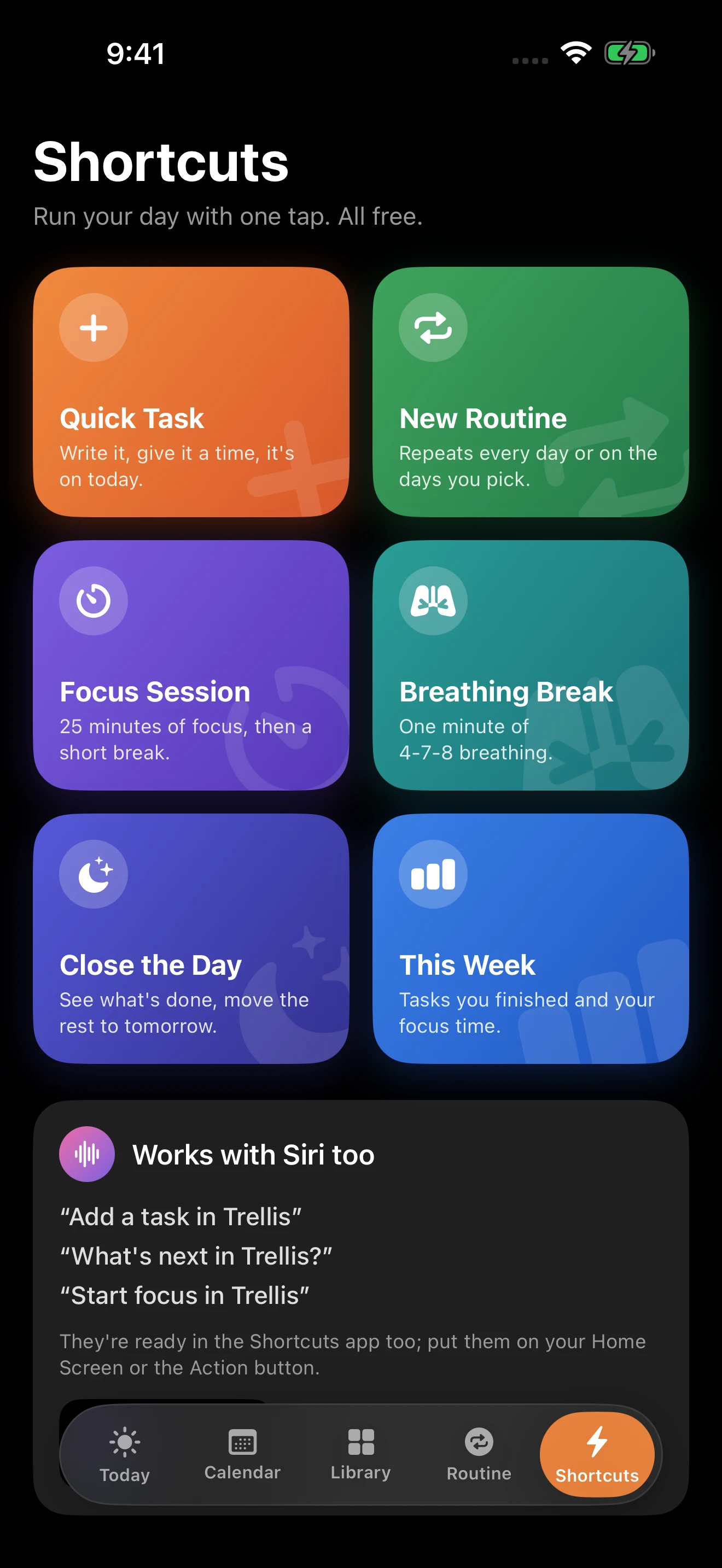
Trellis shortcuts for focus, breathing and daily actions.
Turn a language, skill, fitness or exam goal into a project. Map what you need, choose the next cycle, preview its plan and look back before moving on.
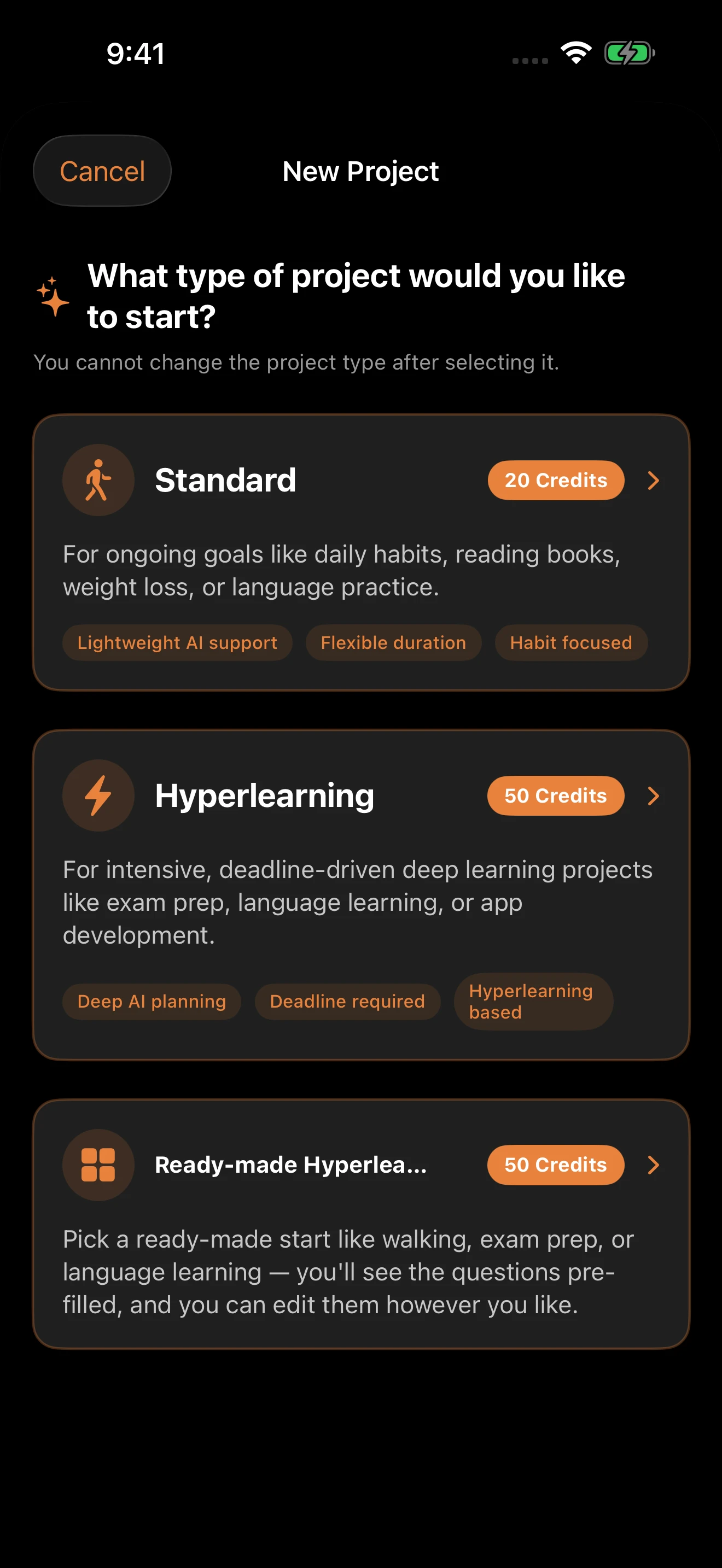
Choosing a goal type for a new Hyperlearning project.
Hyperlearning
A language, a skill, fitness or an exam. Turn it into a Hyperlearning project. Map what you need, choose the next cycle, preview its plan and look back.
See what you need.
Set the work ahead.
Adjust before you begin.
Use what you learned to choose what’s next.
Talk through tasks and plans with the AI Assistant. Review the proposed changes before applying them, and undo when needed.
AI features use AI Credits.
Review the proposal
Choose to apply it
Undo if needed
Arrange tasks on a timeline, check your calendar and move work when your day changes. Keep routines without a fixed time, place one after another, or set a latest finish.
Shortcuts open a quick task, a new routine, focus, breathing, closing the day or a look at your week — small actions within reach.
Turn a language, skill, fitness or exam goal into a project. Map what you need, choose the next cycle, preview its plan and look back before moving on.
Attach a mimosa document, a Seed or a Lotus deck to a task and open it from your plan.
Trellis is available for iPhone, iPad and Mac. Find compatibility and download details on the App Store.
No. Make routines without a fixed time, start one after another or set a latest finish.
Review proposed changes before applying them. Undo is available when needed. AI features use AI Credits.